
fwd:cloudsec 2026 NA conference

I had the pleasure to speak at the fwd:cloudsec North America 2026 conference.
Read more...
I had the pleasure to speak at the fwd:cloudsec North America 2026 conference.
Read more...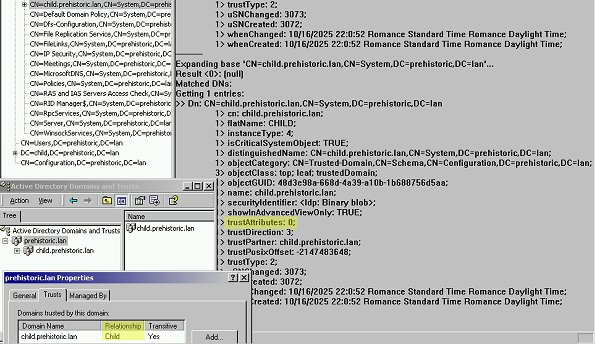
Active Directory anomaly 😯 intra-forest trusts created under Windows 2000 lack a key identifying flag, even after domain and forest upgrades. Learn how to find this legacy behavior persisting to this day, and use crossRef objects to correctly distinguish these trust types 👌
➡️ Find this article on Tenable’s blog: Active Directory Trust Misclassification: Why Old Trusts Look Like Insecure External Trusts
Read more...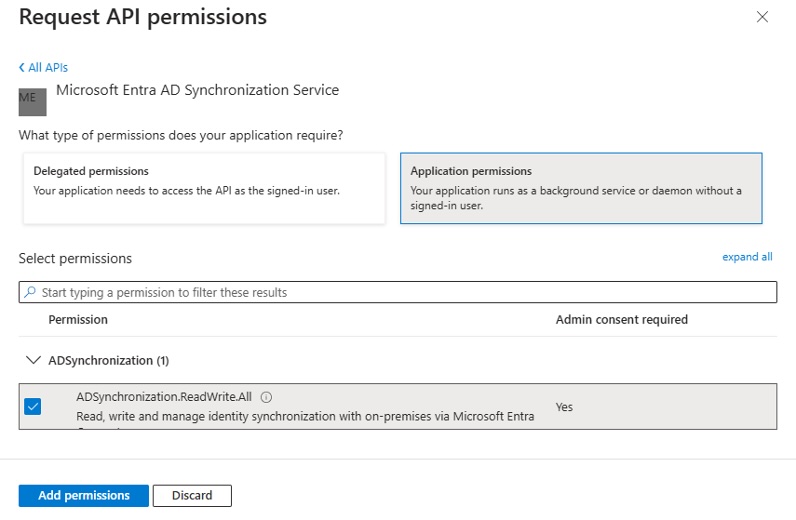
Microsoft hardened the Entra ID synchronization feature last year: restricted permissions on Directory Synchronization Accounts role, and new dedicated sync app.
Let’s find out how sync still works 🔍 Some old tricks persist—and new ones have emerged 💥
➡️ Find this article on Tenable’s blog: Despite Recent Security Hardening, Entra ID Synchronization Feature Remains Open for Abuse
Read more...![[french] Podcast IFTTD - 308 - Sécuriser l'AD feature image](/img/logo_ifttd.png)
Je suis intervenu dans l’épisode 308 “Sécuriser l’AD” du podcast IFTTD.
Read more...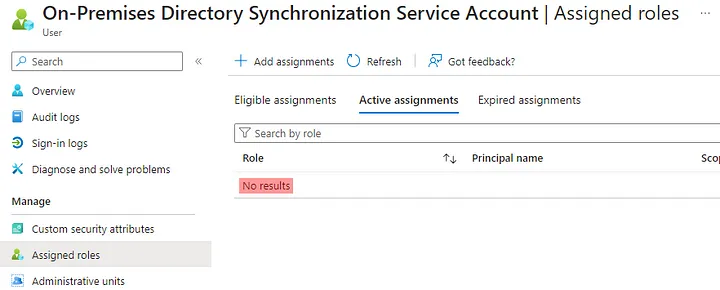
The “Directory Synchronization Accounts” Entra role is very powerful (allowing privilege escalation to the Global Administrator role) while being hidden in Azure portal and Entra admin center, in addition to being poorly documented, making it a perfect stealthy backdoor for persistence in Entra ID 🙈
➡️ Find this article on Tenable’s TechBlog: Stealthy Persistence with “Directory Synchronization Accounts” Role in Entra ID
Read more...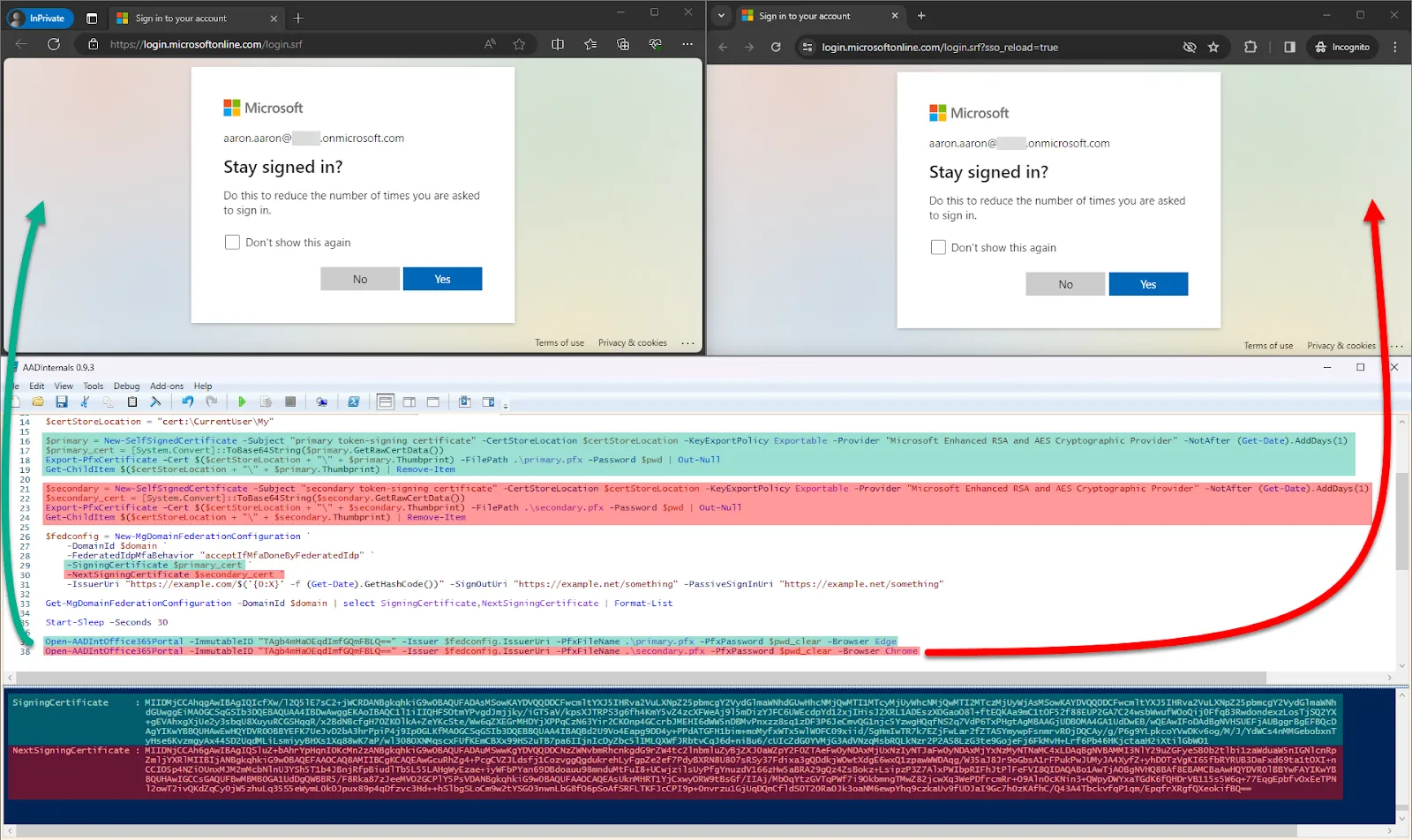
Microsoft Entra ID, formerly Azure AD, features federation enabling authentication delegation to external Identity Providers (IdP). The trust between Entra ID and the external IdP relies on a signed token 🔐
The external IdP signs the token with a private key, with the public key configured in Entra ID. But actually, Entra ID can be configured to accept two token-signing certificates and both are equally accepted as token signers! 💥 This second token-signing certificate may be overlooked by defenders and their security tools! 👀
In this post, I’ll show you where this certificate can be found and how attackers can add it (given the necessary privileges) and use it to forge malicious tokens. Finally, I will provide some recommendations for defense in light of this.
➡️ Find this article on Tenable’s TechBlog: Exploiting Entra ID for Stealthier Persistence and Privilege Escalation using the Federated Authentication’s Secondary Token-signing Certificate
Read more...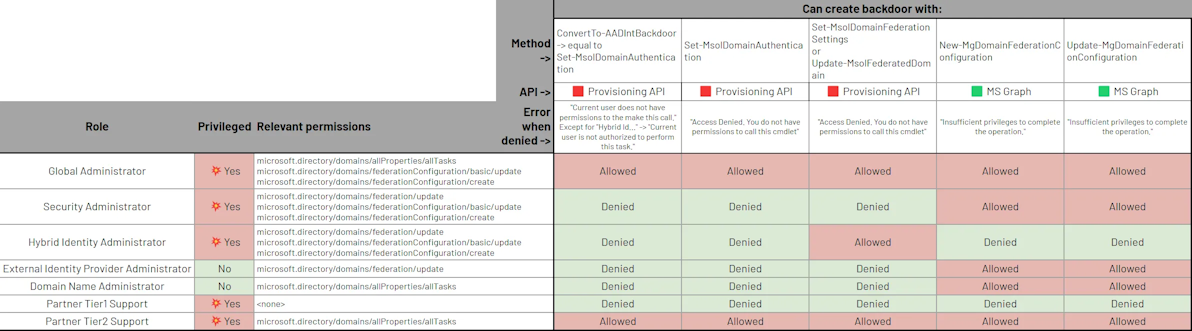
Microsoft Entra ID (formerly known as Azure AD) allows delegation of authentication to another identity provider through the legitimate federation feature. However, attackers with elevated privileges can abuse this feature, leading to persistence and privilege escalation 💥.
But what are exactly these “elevated privileges” that are required to do so? 🤔 In this article, we are going to see that the famous “Global Administrator” role is not the only one allowing it! 😉 Follow along (or skip to the conclusion!) to learn which of your Entra administrators have this power, since these are the ones that you must protect first.
➡️ Find this article on Tenable’s TechBlog: Roles Allowing To Abuse Entra ID Federation for Persistence and Privilege Escalation
Read more...![[french] Conférence Identity Days 2023 feature image](/img/identity-days.png)
J’ai eu la chance de présenter à la conférence Identity Days 2023.
Read more...
I had the chance to speak at the Pass the SALT 2023 conference.
Read more...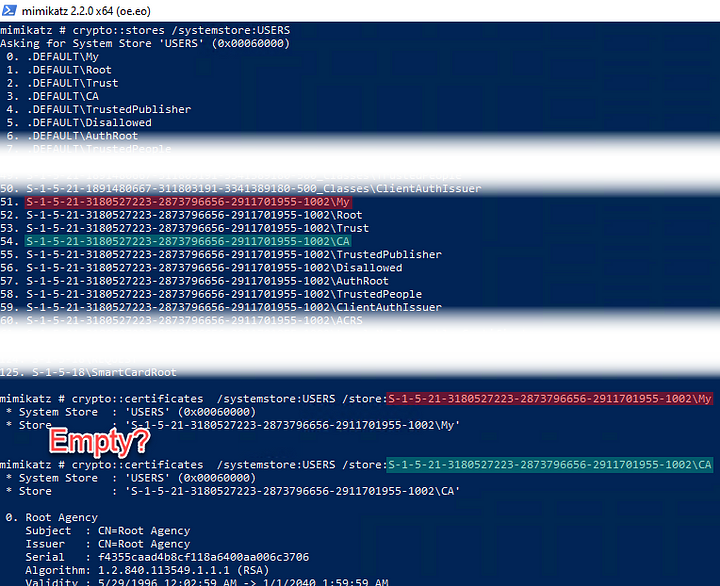
On a Windows machine, we can find users’ certificates stored in files in C:\Users\<USER>\AppData\Roaming\Microsoft\SystemCertificates\My\Certificates (i.e. %APPDATA%\Microsoft\SystemCertificates\My\Certificates). These files have seemingly random names (i.e. “3B86DFC25CFB1B47EB4CBF53FD4028239D0C690E”) and no extension. What is their format? How to open them in code? With which Windows APIs? 🤔
Let me spoil you with the answers right away, including code samples, and I’ll describe after what I tried and what I learned 💡
➡️ Find this article on Tenable’s TechBlog: How to read Windows serialized certificates (with code sample)
Read more...